How to Delete Bluetooth Device from Honda Accord? (All Models)
How to Delete Bluetooth Device from Honda Accord? To delete a Bluetooth device from a Honda Accord, go to Settings, open Bluetooth or Phone settings, select the paired device, and tap Delete or Forget. Make sure the phone is disconnected and the car is in Park before removing it.
This guide explains the exact steps in a clear, simple way, so you can quickly remove any paired device without wasting time or guessing.
How Do You Delete a Bluetooth Device from a Honda Accord?
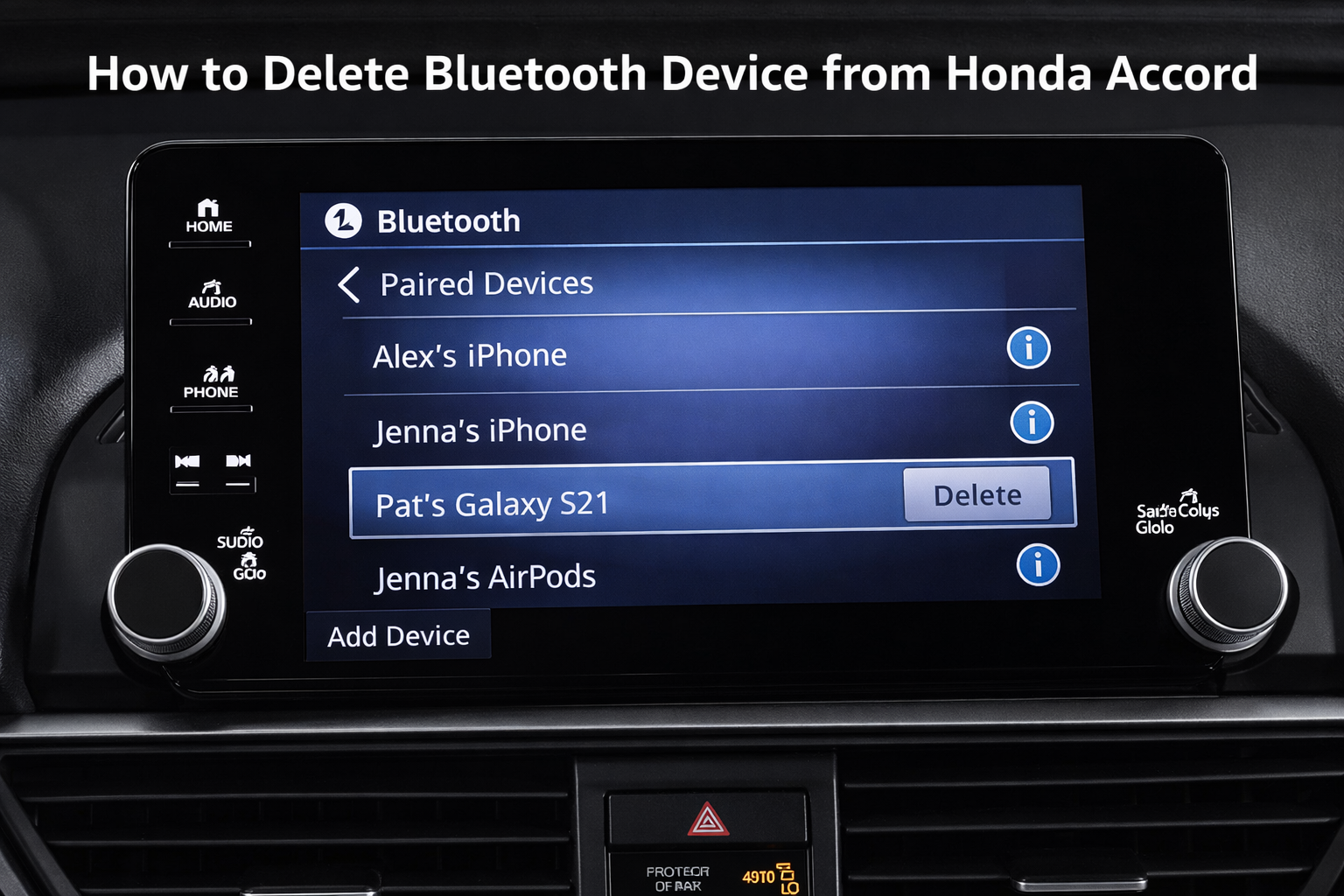
Deleting a Bluetooth device is simple once you find the right menu. In most models, go to Settings → Phone → Bluetooth → Paired Devices, select the device, then tap Delete.
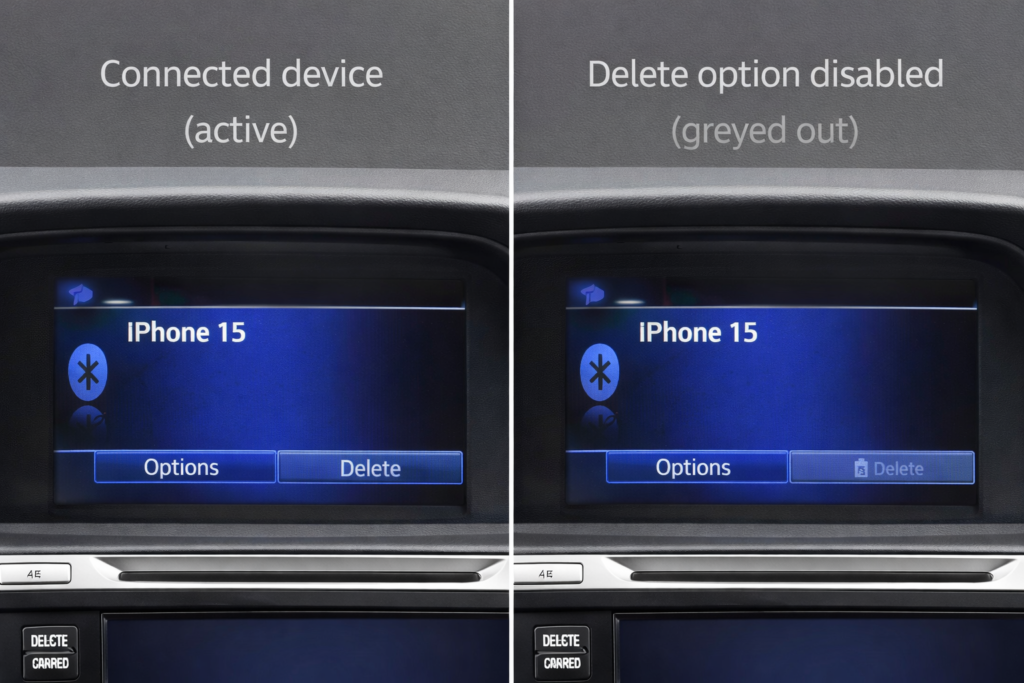
In most cases I have seen, the delete option only appears when the phone is fully disconnected. Many users try to remove a device while it is still active, which blocks the option. Always turn Bluetooth off on your phone first before trying again.
If you do not see the option, the car might still be connected to that phone or not in park. Disconnect the phone first, then try again.
I have seen many drivers think their system is broken, but in most cases, it is just a small setting causing the issue.
Also Read: Do 2012 Honda Accords Have Bluetooth
Which Honda Accord Model Do You Have?
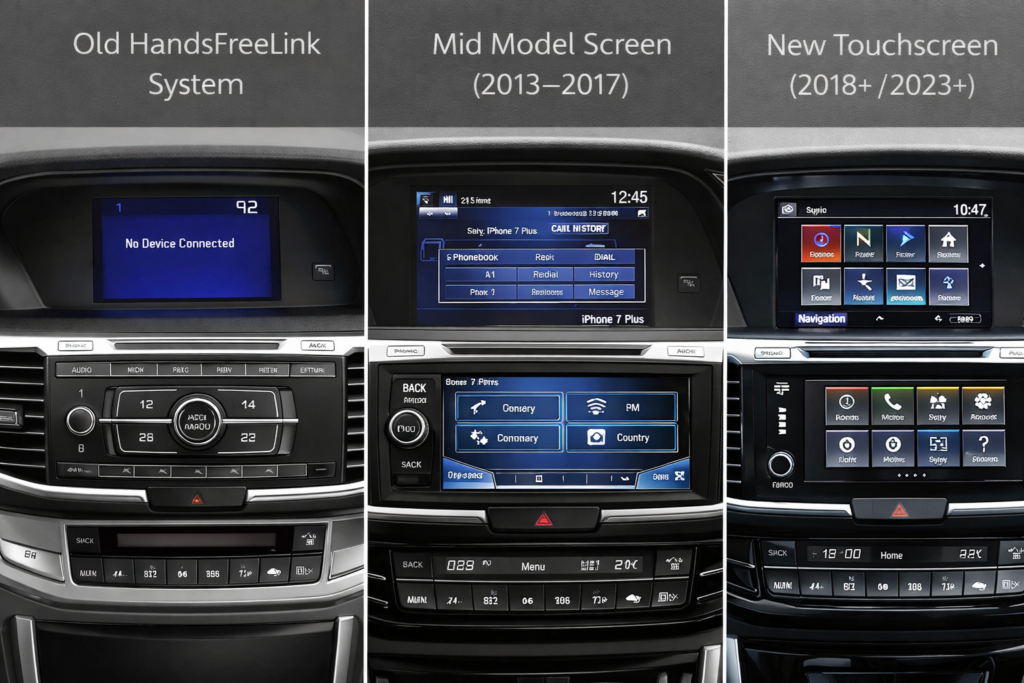
Before you follow any steps, you need to know your system. Honda changed the infotainment setup multiple times, and each works differently.
| Model Years | System Type | Key Feature |
| 2003 to 2012 | HandsFreeLink (buttons/voice) | No touchscreen |
| 2013 to 2017 | Basic screen + buttons | Limited menu |
| 2018 to 2022 | Display Audio touchscreen | Full settings menu |
| 2023 to 2026 | 12.3″ touchscreen (Google built-in) | Modern UI |
Pick your model range below. Using the wrong method is why most people get stuck.
Trim & Menu Variations: Some trims, like EX-L or Touring, may have slightly different menus. For example, certain EX-L models store fewer Bluetooth devices than standard trims. Always check your trim’s display options when attempting to delete a device.
How to Delete a Bluetooth Device in a 2003 to 2012 Accord?
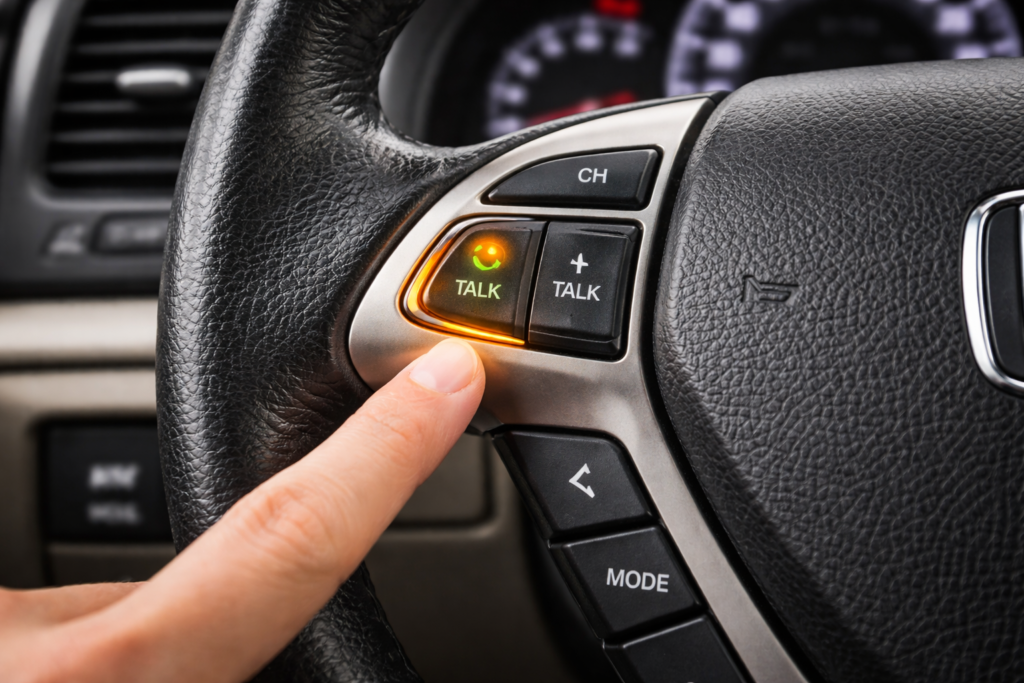
Use voice command or steering controls
- Press the Talk button on the steering wheel
- Say: Delete phone
- The system will read saved devices
- Say the name → confirm delete
You will hear a voice prompt confirming the selected device before it is deleted.
These models do not have a full menu. If the voice fails, reset the system by turning the car off, opening the door, and restarting.
For very early 2003 to 2007 models, a full system reboot (turning the car off completely for a few minutes) may be necessary if the Talk button method does not work.
How to Remove a Paired Phone in a 2013 to 2017 Accord?
Go to the phone setup menu using the screen or side buttons. Open Bluetooth settings, find your paired phone, and select delete.
The option usually appears under Phone Setup or Bluetooth Setup, depending on trim level.
Quick steps
- Press the phone button
- Open Setup
- Select Bluetooth Setup
- Choose device → Delete
If the delete does not work, disconnect the phone from Bluetooth first. This model often blocks deletion when active.
How Do You Delete Bluetooth Devices in 2018 to 2022 Models?
Everything is inside the system menu.
Steps
- Open the main menu and access Bluetooth settings from the connections tab
- Open Paired Devices
- Tap device → Delete
From real use, these systems can lag or freeze for a few seconds, especially if multiple devices are stored. Wait a moment before tapping delete again.
Older Display Audio or 12.3 systems may require software updates for smooth device deletion. Check for updates if the system frequently lags or blocks deletion.
If the system freezes, restart the car.
official Honda how-to video for deleting paired devices.
How to Delete a Phone from the 2023 to 2026 Accord System?
Open the system menu and enter the Bluetooth device list. Tap the device and choose Forget or Delete.
| Step | Action |
| 1 | Open Settings |
| 2 | Tap Bluetooth |
| 3 | Select device |
| 4 | Tap Forget Device |
If you are using wireless Apple CarPlay or Android Auto, the system may lock the device. Turn off the wireless connection first, then remove the phone.
Hidden Bluetooth Issues Most Honda Accord Owners Miss
Some Bluetooth problems are not obvious. Even when the steps are correct, the system may still not respond properly.
- Old devices stay saved even after a phone reset
- System delays after startup can block actions
- Multiple driver profiles may store separate devices
- Software updates can temporarily affect Bluetooth
Why Can not You Delete a Bluetooth Device from a Honda Accord?
This issue usually happens due to simple system restrictions, not a fault.
Common reasons
- The car is not in Park
- Phone is still connected
- The system is glitched
- You are in the wrong menu
How Do You Fix Bluetooth Device Deletion Issues?
Start with basic fixes before doing anything extreme.
Quick fixes
- Turn Bluetooth off on your phone
- Restart the car system
- Try again after 2–3 minutes
If that fails, do a soft reset. Turn off the car, open the driver’s door, wait a bit, then restart. This clears minor system bugs. If the issue continues, switch the car off completely and retry after a short wait.
Read Guide: How Do You Reset The Radio On A Honda Accord?
Is Your Honda Accord Bluetooth Memory Full?
Yes, this happens more than people realize. Most Accords only store about 5–6 devices.
| Symptom | Meaning |
| The new phone would not connect | Memory full |
| Old phones are still listed | Not deleted |
| Pairing fails repeatedly | Storage limit reached |
If your list is full, you must delete one device before adding another. This is a built-in limit, not a fault.
How Do You Reset the Honda Accord Bluetooth System?
Reset should be your last option because it deletes everything.
Go to system settings and choose factory reset. This clears all paired phones and restores default settings.
When to reset
- The device is stuck and won’t delete
- The system keeps freezing
- Bluetooth is not working at all
After the reset, you will need to pair your phone again from scratch.
If your Bluetooth still does not work after a reset, check the full troubleshooting guide for Honda connectivity issues.
Can You Delete a Phone Using Voice Commands?
Yes, but only in older models with HandsFreeLink.
How it works
- Press the Talk button
- Say Delete phone
- Choose the device by name
This method is useful when buttons don’t respond. It still works reliably in many older models.
What Happens When You Delete a Bluetooth Device?
When you delete a device, it removes all connection data from the car.
Your phone will no longer connect automatically. You will also lose call history and synced contacts from that device.
This is useful when selling the car or removing an old phone you no longer use.
FAQs:
Can you delete multiple Bluetooth devices at once?
No, you must remove each paired device from the list one by one.
Does deleting a Bluetooth device free up memory?
Yes, it clears space so you can connect a new phone.
Why is the delete option not showing?
The phone may still be connected, or the car is not in Park.
How many devices can a Honda Accord store?
Most models store around 5 to 6 paired devices at a time.
Will deleting a Bluetooth device reset the whole system?
No, it only removes that device and keeps other settings unchanged.
Conclusion:
Deleting a Bluetooth device from a Honda Accord is simple once you use the correct method for your model. Most problems arise from active connections or system limits, not from real faults. Follow the right steps, and you can remove any device quickly without confusion.