How Do You Reset The Radio On A Honda Accord? (Guide 2026)
To reset a Honda Accord radio (2003 to 2026), retrieve the 8-digit serial number and enter the 5-digit anti-theft code after battery power loss. On 2018+ Accord models, holding the power button for 10 to 15 seconds usually reboots the system without requiring a code.
Below is the exact process for retrieving the serial number, obtaining the official code, and resetting both traditional and modern Accord systems.
Why Your Honda Accord Radio Needs a Reset?
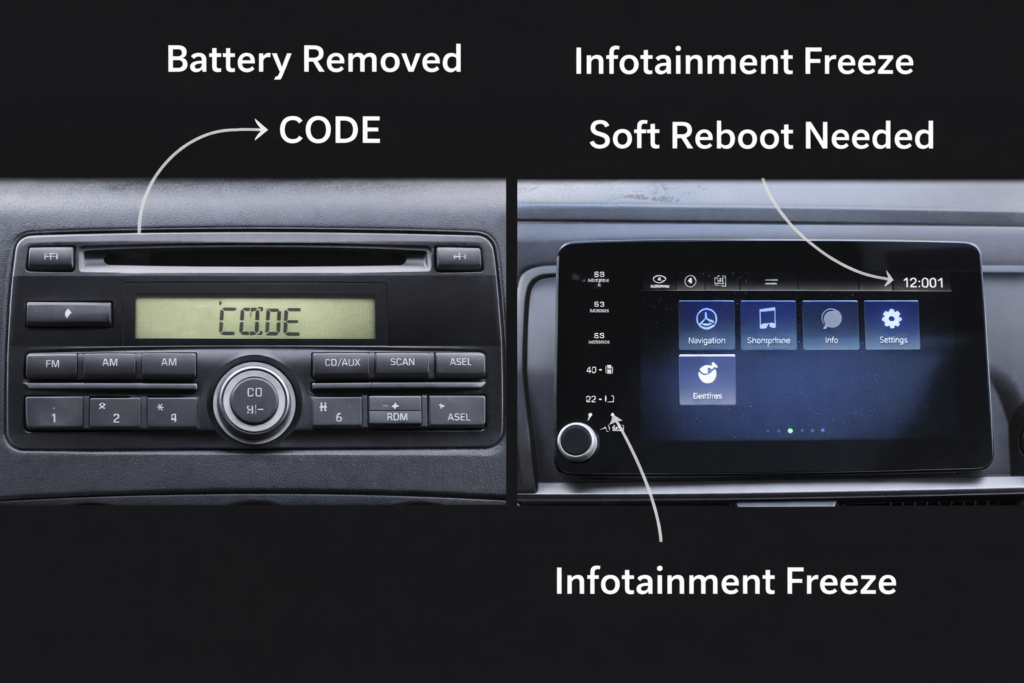
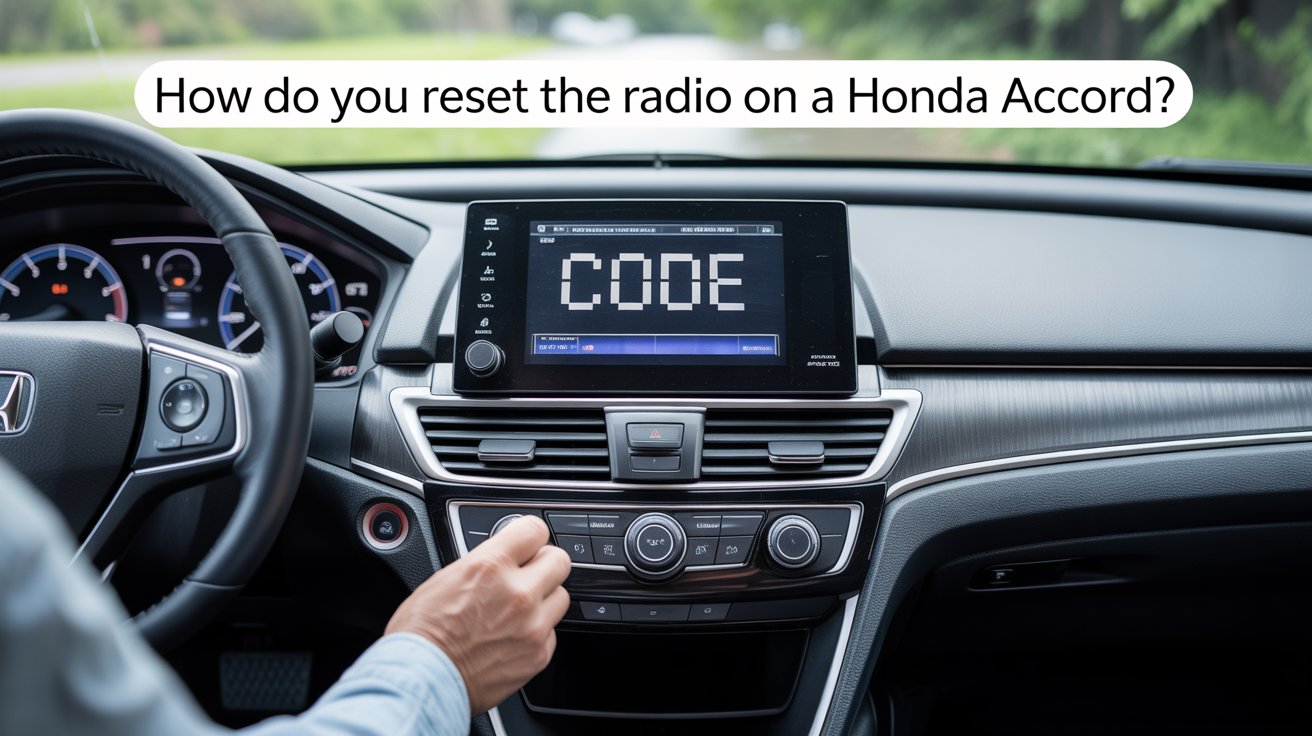
How Do You Reset The Radio On A Honda Accord? Honda has equipped almost every Accord since the early 2000s with an anti-theft radio system. Power interruption, most commonly from battery replacement, a dead battery, or a fuse pull, triggers the lock. The radio displays CODE (on older models) or becomes unresponsive/frozen (on newer touchscreens).
Common triggers include:
- Battery disconnection or replacement (this is by far the most common cause)
- Audio fuse removal during other repairs
- Accidental diagnostic menu entry
- Software glitches in 2018+ infotainment systems
Safety Note: Do not perform reset procedures while driving. After reconnecting the battery, temporary SRS or ABS warning lights may appear. These typically clear after 10 to 20 miles of driving.
Just like your engine needs the right timing, your radio needs the correct code to ‘sync’ back to life.
Also Read: Do Honda Accords Have Timing Belts Or Chains?
Tools & Information You Need Before Starting:
Gather these items:
Before starting, make sure you have your 17-digit VIN, access to the owner’s manual, and a phone or computer to retrieve the code online. Writing the serial down clearly will save you time.
Pro tip for advanced users: Photograph your radio serial number and code once retrieved. This prevents most future lockouts.
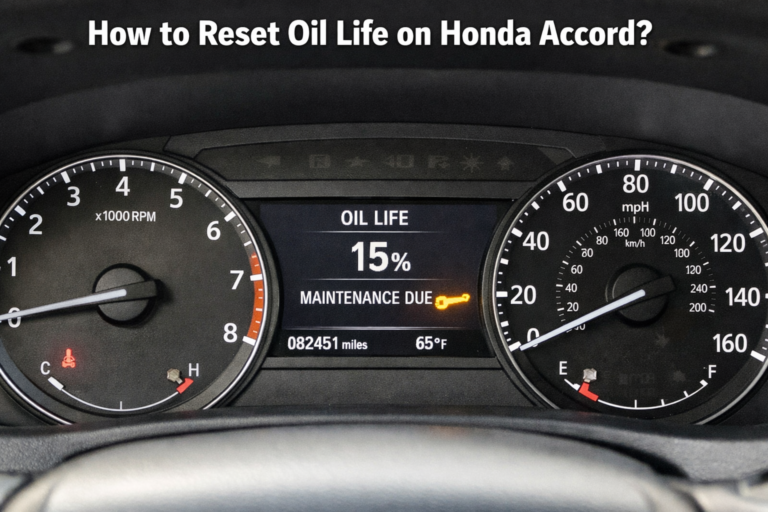
Before you dive in, make sure all your car systems are properly prepped, just as you would reset your oil life.
Also Read: How to Reset Oil Life on Honda Accord?
How to Retrieve Your Radio Serial Number?
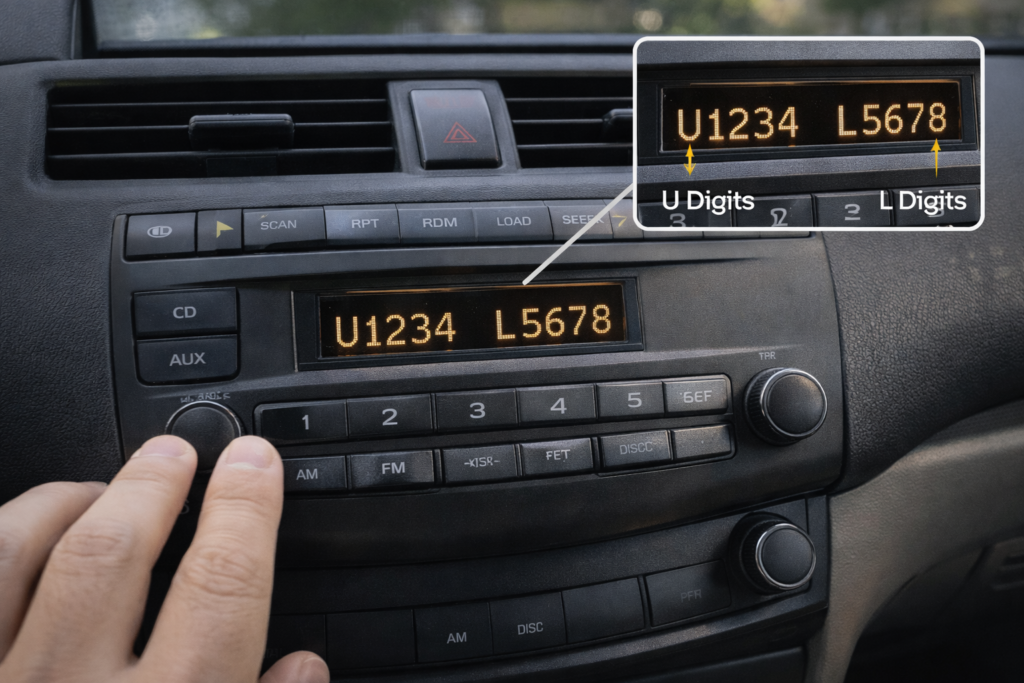
This is the most critical step for code retrieval.
Universal method (2002 to 2026 models):
- Sit in the driver’s seat and close all doors.
- Turn ignition to ON (or ACC) without starting the engine.
- Ensure the radio is OFF.
- Press and hold preset buttons 1 and 6 simultaneously.
- While holding, turn the radio ON (press the power button).
- The display will cycle through U + 4–5 digits, then L + 4–5 digits (or similar). Write down all 8 digits, ignoring the U and L.
On older 2003-2007 models, the display sometimes flashes too quickly. If that happens, just repeat the 1+6 process again; it usually works on the second try.
Alternative locations:
- Glovebox sticker or anti-theft card (do not store in the vehicle)
- Owner’s manual (pre-delivery inspection pages)
- For very old units (pre-2002): Serial is on the physical back of the radio (requires removal)
Get Your Official Honda Radio Code in Under 2 Minutes
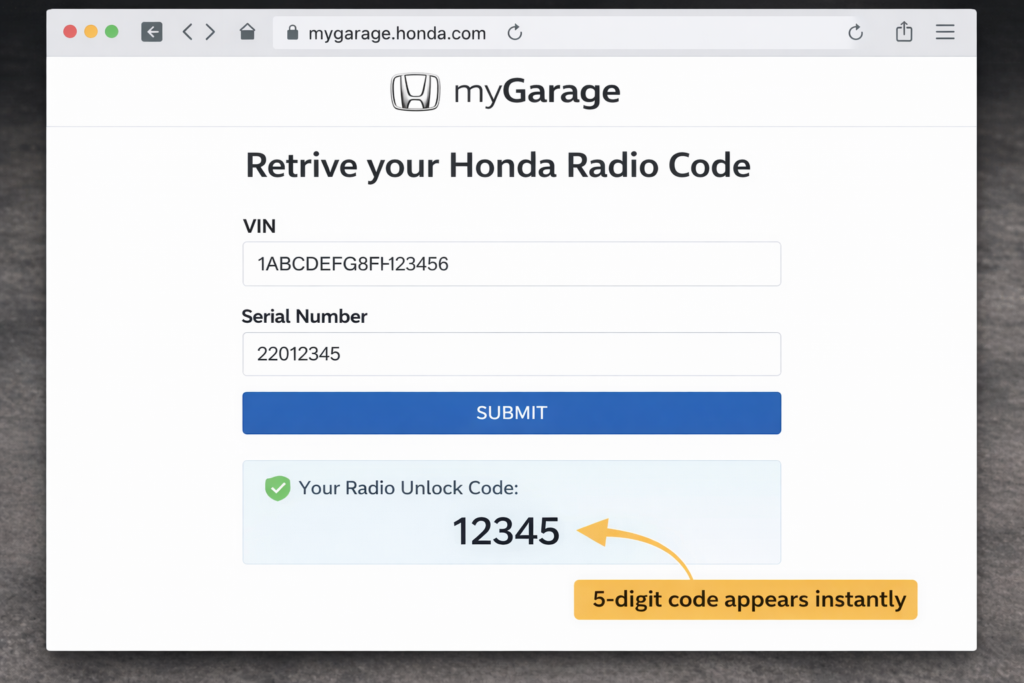
The fastest, most reliable method in 2026 is Honda’s official portal.
Step-by-step:
- Visit https://mygarage.honda.com/s/radio-nav-code
- Enter your VIN, current zip code, phone number, and email.
- Input the 8-digit serial number, then submit the form.
- Your 5-digit code is either displayed instantly or sent via email.
Bring proof of ownership (registration + ID). Most Honda dealers provide the code free or for $0 to $50. Expect 10 to 30 minutes if they must pull the radio (rare on post-2002 models).
According to American Honda Motor Co., the anti-theft lock activates automatically any time battery voltage is interrupted. This is the same process Honda dealers use internally when verifying radio ownership.
Honda’s customer support notes that the radio and navigation anti-theft system is activated whenever power is interrupted, requiring the unit’s serial number and VIN to retrieve the official reset code.
Entering the 5-Digit Code on Older Accords (2003 to 2012)
- Turn the ignition to ON (the radio should show CODE).
- Use preset buttons 1–6 to enter each digit of your code.
- Press the preset button corresponding to each number (button 1 = digit 1, etc.).
- I have seen people enter the right code but misread a zero as an O. Double-check carefully before assuming it is wrong.
Clock reset bonus: After successful code entry, hold the clock button and adjust time using presets.
Different generations, different resets, and changes in weight across model years affect handling.
Also Read: How Much Does a Honda Accord Weigh?
Resetting Radio on Mid-Generation Accords: (2013 to 2017)
Methods are nearly identical to those from 2003 to 2012, but some models use touchscreen entry. Follow the same serial → code → preset entry process. If the system shows ERR, wait one hour before retrying (anti-theft lockout).
Rebooting Modern Infotainment / Head Unit (2018 to 2026)
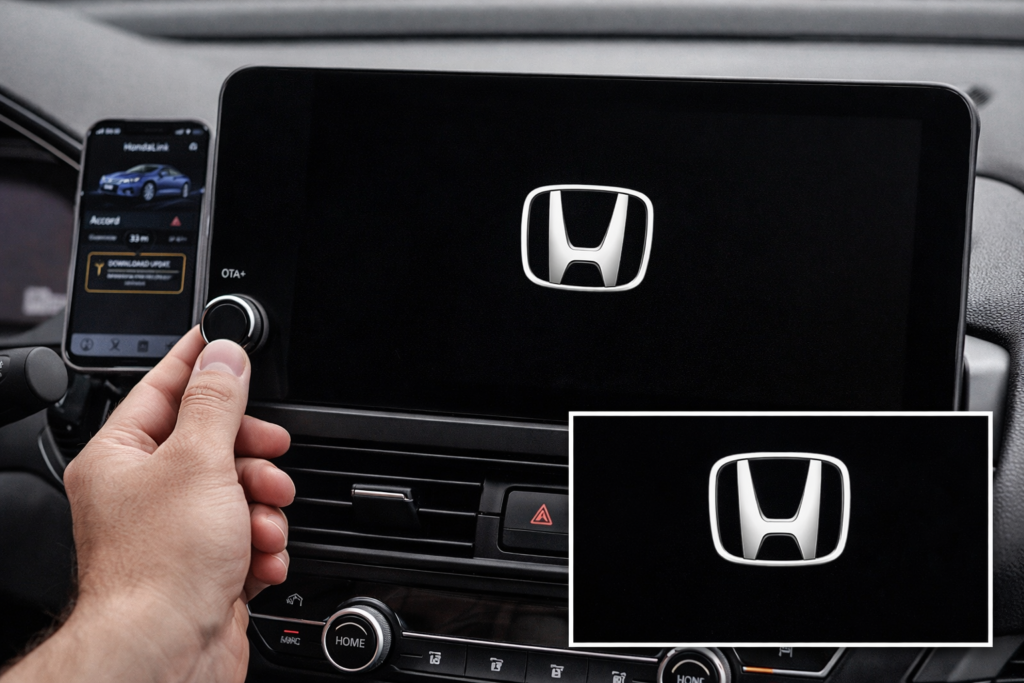
Newer Accords use a sophisticated touchscreen system. The CODE prompt is rare; you will more likely see a frozen black screen, CarPlay failure, or unresponsive controls.
Primary soft reboot (all 2018 to 2026):
- Press and hold the power/volume knob for 10–15 seconds.
- The screen will go black and restart (the Honda logo will appear).
2020 to 2022, specific method:
Open driver’s door → press engine start button (without foot on brake) → shift to Neutral → hold for 10 seconds.
2023 to 2026 (newer Android-based systems):
Hold the Home button on the touchscreen for 5–10 seconds until the reboot prompt appears.
Full factory reset (last resort):
Settings → System → Factory Data Reset (erases paired phones, presets, and navigation data).
Alternative Quick Resets
Quick Reset Methods. Some owners attempt basic power resets before retrieving the code:
- Disconnect the battery for 10–15 minutes (may trigger warning lights).
- Remove the audio fuse briefly.
- On newer models, hold the power/volume button for 10 to 15 seconds.
These methods can resolve minor software freezes but will not bypass the anti-theft code requirement on traditional systems.
On a 2016 Accord I worked on recently, the owner had entered the code correctly but kept entering it too quickly, triggering the one-hour lockout. Enter digits slowly and double-check zeros.
In dealership environments, most lockouts happen after rushed battery replacements.
Model-Year Comparison Table (2003 to 2026)
A 2005 Accord behaves very differently from a 2024 model.
Reset behavior varies significantly by generation. The table below summarizes what changes across model years.
| Model Years | Radio Type | Primary Reset Method | Serial Retrieval | Code Required? | Common Issues |
| 2003 to 2012 | Traditional | 5-digit code via presets | 1+6 buttons | Yes | CODE display, clock reset |
| 2013 to 2017 | Hybrid touch | Code + some touchscreen | 1+6 buttons | Yes | ERR after 10 wrong entries |
| 2018 to 2022 | Full infotainment | Power/volume hold 10–15s | 1+6 or mygarage | Rare | Frozen screen, CarPlay drop |
| 2023 to 2026 | Android-based | Home button or power knob | mygarage preferred | Very rare | Software glitches, OTA updates |
Troubleshooting When Reset Fails
If the radio still shows CODE after entering the digits, verify leading zeros and wait one hour if the system has locked out. After 10 incorrect attempts, the unit temporarily disables input.
If the screen is frozen without a CODE prompt, perform the soft reboot twice. If the issue continues, check for available software updates through HondaLink or a dealership service department.
Invalid serial on mygarage.honda.com?
Use only the first 8 digits. Try without dashes.
Code accepted, but no sound?
Check the audio fuse or volume settings. Re-pair Bluetooth devices.
Advanced tip: If you perform frequent battery work, install a memory-saver device ($20 to $40 on Amazon) to keep the radio module at a constant 12V.
Expert Tips & Best Practices to Prevent Future Lockouts
- Photograph the anti-theft card and store it in your phone (password-protected).
- Before any battery work, retrieve and note your code.
- Use a battery memory saver for electrical repairs.
- Keep your HondaLink app updated for OTA infotainment fixes.
- For hybrids/Touring trims: Navigation systems may require a separate code check for both the radio and the navigation system serial numbers.
Related reading:
How to Safely Replace Your Honda Accord Battery
Complete Honda Accord Maintenance Schedule 2026
When to Visit a Honda Dealer?
Go to the dealer if:
- You have exceeded 10 wrong code attempts
- Navigation system is locked (requires special flash)
- Multiple error codes appear (e.g., alongside the check engine light)
- Your model is pre-2002 (radio removal needed)
Dealer cost in 2026 typically ranges from $0 (code lookup) to $200 (full reprogram + labor).
FAQ’s:
How do I get my Honda radio code?
Retrieve the serial number with the 1+6 method, then use mygarage.honda.com with the VIN. Takes under 2 minutes.
How to reset the Honda Accord radio after battery replacement?
Always retrieve code first. Disconnecting the battery almost always triggers the anti-theft lock.
Can you reset a Honda radio without the code?
Only via full infotainment reboot on 2018+ models. Traditional radios require the code or dealer intervention.
Why is my Honda radio asking for a code?
Power was interrupted. It is the built-in anti-theft protection.
How long do I hold the power button to reset the Honda radio?
10 to 15 seconds on modern models until the screen restarts.
Conclusion:
The reset process depends entirely on the model year. Older Accords require correct serial retrieval and precise code entry, while newer systems typically respond to a controlled reboot. When performed correctly, the procedure restores full functionality without dealer intervention.