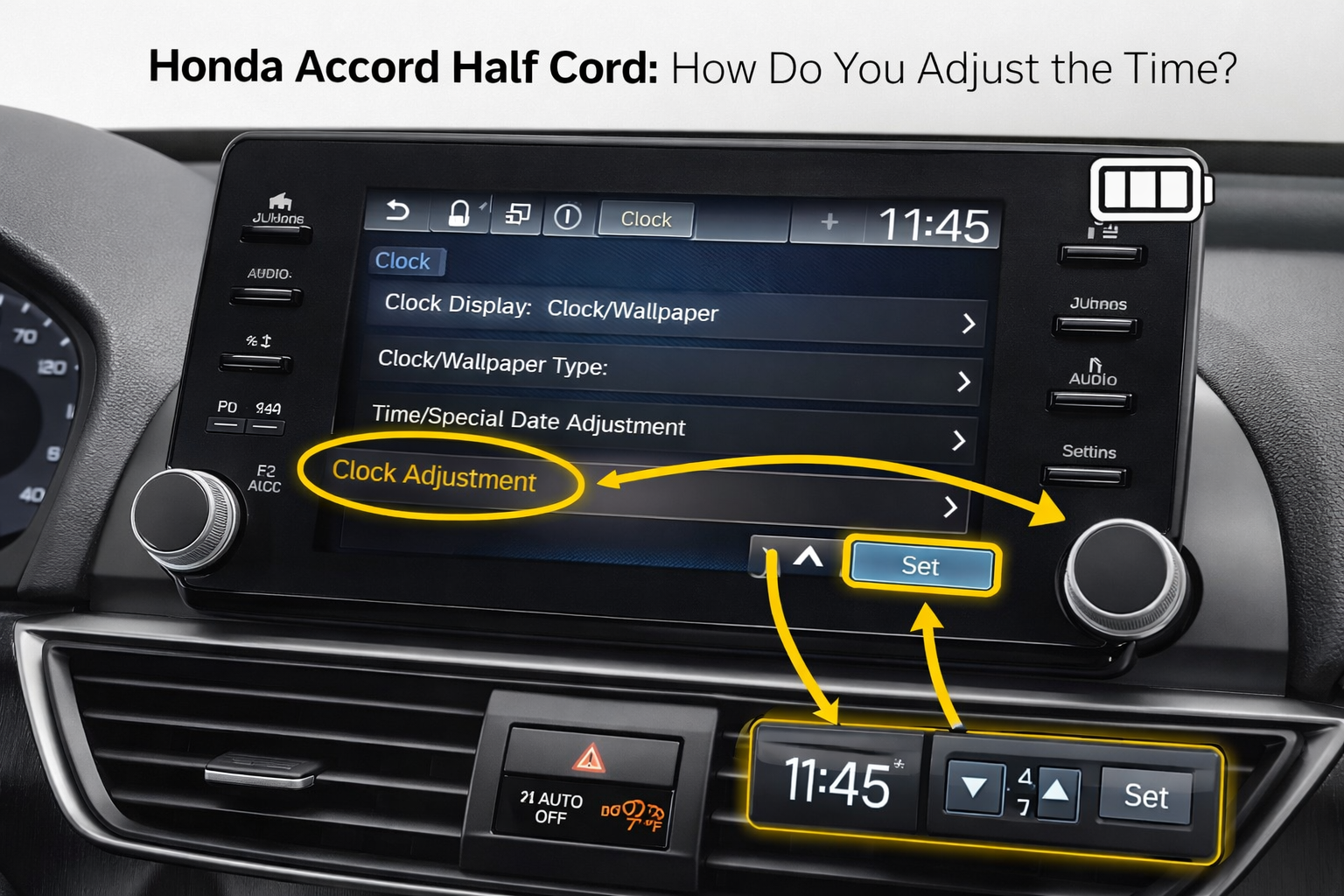
Honda Accord Half Cord: How Do You Adjust the Time? (See How)
If your clock is wrong, fixing it is usually simple. Many Honda owners notice the wrong time after a battery change, jump-start, or infotainment reset. The steps depend on the radio or screen your Accord has. Older models use physical buttons, while newer models use the infotainment screen. Once you know where the clock control is, the adjustment only takes a few seconds.
This guide explains the exact steps for different Accord generations, including older models and the latest 2026 versions.
How Do You Adjust the Time on a Honda Accord?
In most models, you change the time through the radio or display settings. Earlier Accord models relied on radio controls instead of touchscreen menus, while newer ones use the touchscreen system.
Quick Steps to Adjust the Time on a Honda Accord
- Turn the ignition to ACC or ON
- Press the CLOCK or SOUND button
- Adjust hours and minutes using preset buttons or screen arrows
- Press the button again to save time
These steps work for most Accord models from the early 2000s to recent versions, though the interface changed after the touchscreen systems appeared.
According to the Honda owner’s manual, the clock can be adjusted using either radio controls or the infotainment settings, depending on the model year.
Where Is the Clock Button on a Honda Accord?
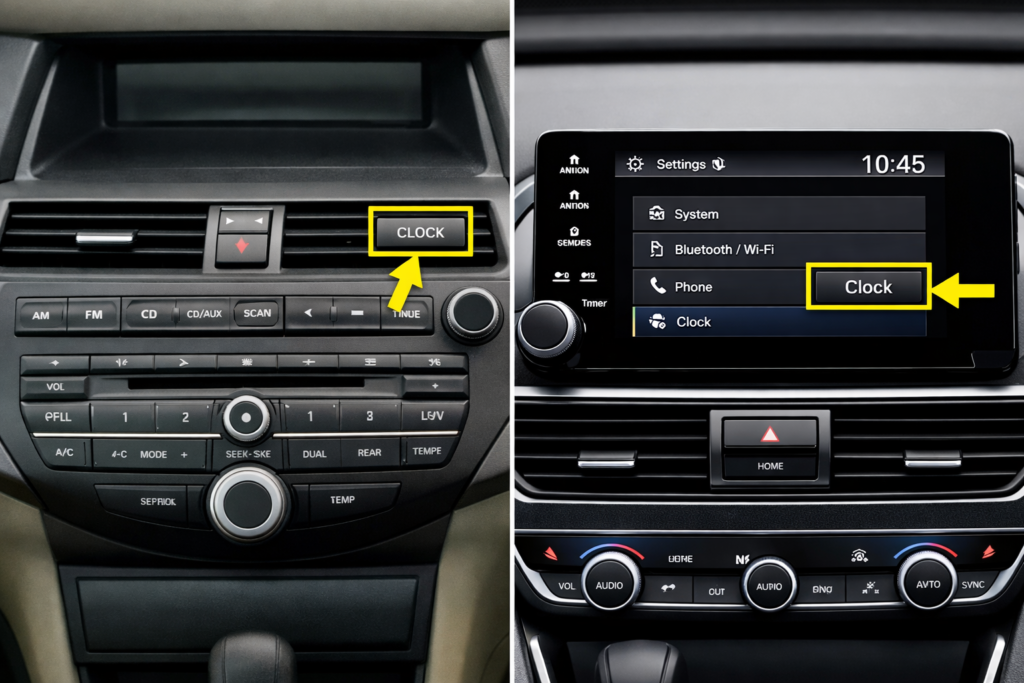
The clock control location depends on the dashboard layout. Older models place it on the radio panel, while newer models hide it inside the infotainment settings.
The exact clock control location changed across Honda Accord generations.
| Accord Model Type | Clock Control Location |
| 2003 to 2007 Accord | CLOCK or SOUND button on the radio panel |
| 2008 to 2012 Accord | Menu button on the radio display |
| 2013 to 2017 Accord | Settings menu on the center screen |
| 2018 to 2026 Accord | Infotainment system time settings |
On older dashboards, the clock button sits close to the radio preset keys. In newer models, it appears in Vehicle Settings → Clock Adjustment.
In newer models, the time appears on the digital display at the top of the infotainment screen.
How Do You Set the Clock on Older Honda Accords?
Older Accords use physical radio buttons to change the time. This method is common on models from 2003 to around 2012. These dashboard controls are built into the radio panel and allow quick manual clock adjustments.
First, turn the ignition to the accessory position so the radio powers on. Then press and hold the clock or sound button until the time starts flashing.
| Button | Function |
| Preset 4 | Adjust hour |
| Preset 5 | Adjust minutes |
| Clock/Sound | Save the time |
Drivers often notice the clock drifting after a battery change. That is normal because older systems do not keep memory when power is disconnected.
How Do You Change the Time on Newer Accord Screens?
Newer Accords use the infotainment display for clock settings. These systems started appearing around the 2013 generation and became standard after 2018. In these models, the clock is adjusted through the vehicle settings menu on the infotainment system.
Open the system settings menu on the center screen and find the clock adjustment option.
| Step | Action |
| 1 | Tap Settings on the display |
| 2 | Select System or Clock Settings |
| 3 | Adjust the hours and minutes using the arrows |
| 4 | Confirm to save |
Some newer Accords also allow automatic time sync, which uses GPS to set the correct time.
What Does the Half-Hour Reset Do on Honda Clocks?
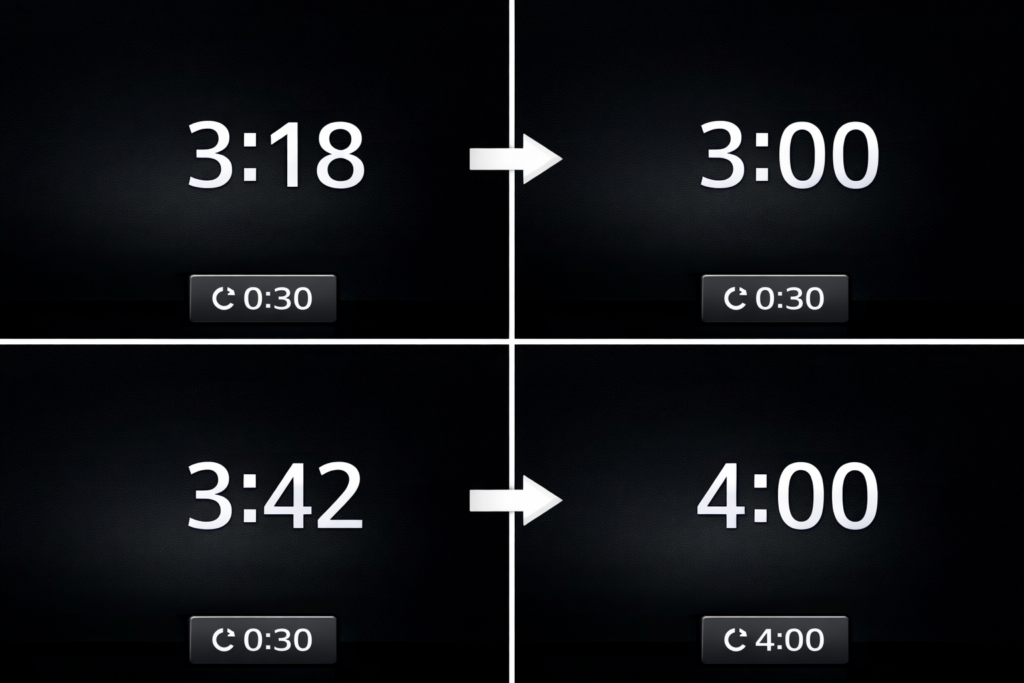
The half-hour reset is a quick way to correct the clock without adjusting minutes manually. Honda designed this feature to round the time to the nearest hour.
If the minutes are below 30, the clock rounds down to the current hour. If the minutes are above 30, it jumps to the next hour.
For example, if the clock shows 3:18, the reset changes it to 3:00. If it shows 3:42, it jumps to 4:00.
This rounding feature is documented in the official owner manuals published by American Honda Motor Co., which explain how the clock rounds time to the nearest hour when using the reset function.
Why Is the Honda Accord Clock Showing the Wrong Time?
The most common reason is a recent battery disconnection. When power is lost, the clock resets and needs manual adjustment.
Other possible causes include:
- battery replacement or jump-start
- Incorrect time format setting
- infotainment system glitch
- GPS time sync turned off
In real-world cases, many drivers notice the issue right after installing a new battery.
Why Does the Accord Clock Reset After Battery Change?
When the battery is removed, the clock loses its stored memory. Older Accord systems rely on constant power to keep the correct time.
This is normal behavior and not a fault. Once you reset the clock manually, it will stay correct until the battery is disconnected again. Newer models with GPS time sync usually fix the time automatically once the system reconnects to satellites.
Mechanics often see this issue after a battery replacement because older Accord radios lose stored settings when power is disconnected.
This behavior is common in many vehicles that store clock settings in radio memory rather than permanent system storage.
Also Read: How Long Do Honda Civic Batteries Last?
Why Won’t the Honda Accord Clock Save the Time?
If the time keeps resetting after adjustment, the problem is usually electrical or software-related.
Possible reasons include:
- weak or failing battery
- blown radio fuse
- infotainment system glitch
- faulty clock control button
In many cases, restarting the infotainment system or replacing a weak battery fixes the issue quickly.
Can You Set the Honda Accord Clock Automatically?
Yes, many newer models allow automatic clock adjustment using GPS or network signals.
| Model Years | Automatic Time Support |
| 2003 to 2012 | No automatic sync |
| 2013 to 2017 | Limited automatic settings |
| 2018 to 2026 | GPS automatic time |
When enabled, the system updates the time automatically while driving. This is useful when traveling between time zones.
For example, if you drive across time zones during a road trip, the GPS can automatically update the time.
Read Guide: What Years To Avoid Honda Accord?
How Do You Switch Between 12-Hour and 24-Hour Time?
The time format can be changed from the clock settings menu.
On newer Accord screens, open Settings → Clock → Time Format and choose either 12-hour or 24-hour mode.
Older radio-based systems change the format through the clock button menu. The setting stays saved until the battery is disconnected. This setting is helpful for drivers who prefer military-style time or international formats.
FAQs:
Does the Honda Accord clock change automatically for daylight saving time?
Some newer Honda Accord models with GPS time sync can update automatically for daylight saving time, but older models require manual adjustment.
Why Did My Honda Accord Clock Change by Itself?
This usually happens when GPS time sync is enabled or after a battery reset.
How Do I Reset the Honda Accord Clock Quickly?
Use the clock reset feature or adjust the time from the radio or infotainment settings.
Does GPS Control the Time in the Honda Accord?
Yes, many newer models automatically set the time using GPS signals.
What If the Honda Accord Clock Buttons Are Not Working?
Check the radio fuse or restart the infotainment system because a software glitch can disable the controls.
Conclusion:
Keeping the correct time in your Honda Accord is simple once you know where the clock controls are located. Older models use radio buttons, while newer ones rely on the infotainment system or automatic GPS time sync. If the clock becomes incorrect after a battery change, a quick reset usually fixes it in seconds. Understanding small dashboard features like this is part of basic vehicle ownership. Understanding these small system features helps drivers avoid confusion and keep their dashboard settings accurate every day.